
Strava Integration
Connect Strava to auto-import your runs and rides into XPG
How It Works
XPG connects to your Strava account to automatically import cycling and running activities. Your real-world distance is converted into in-game XP — no manual logging required.
Connect in Settings
Open XPG, go to Settings, and tap "Connect" next to Strava. You'll be redirected to Strava to authorize XPG.
Go for a Run or Ride
Record your activity on Strava as usual — or use XPG's built-in GPS quests for runs and bike rides.
XP Awarded Automatically
XPG syncs your Strava activities and awards DEX XP for runs and CON XP for rides based on distance.
App Screenshots
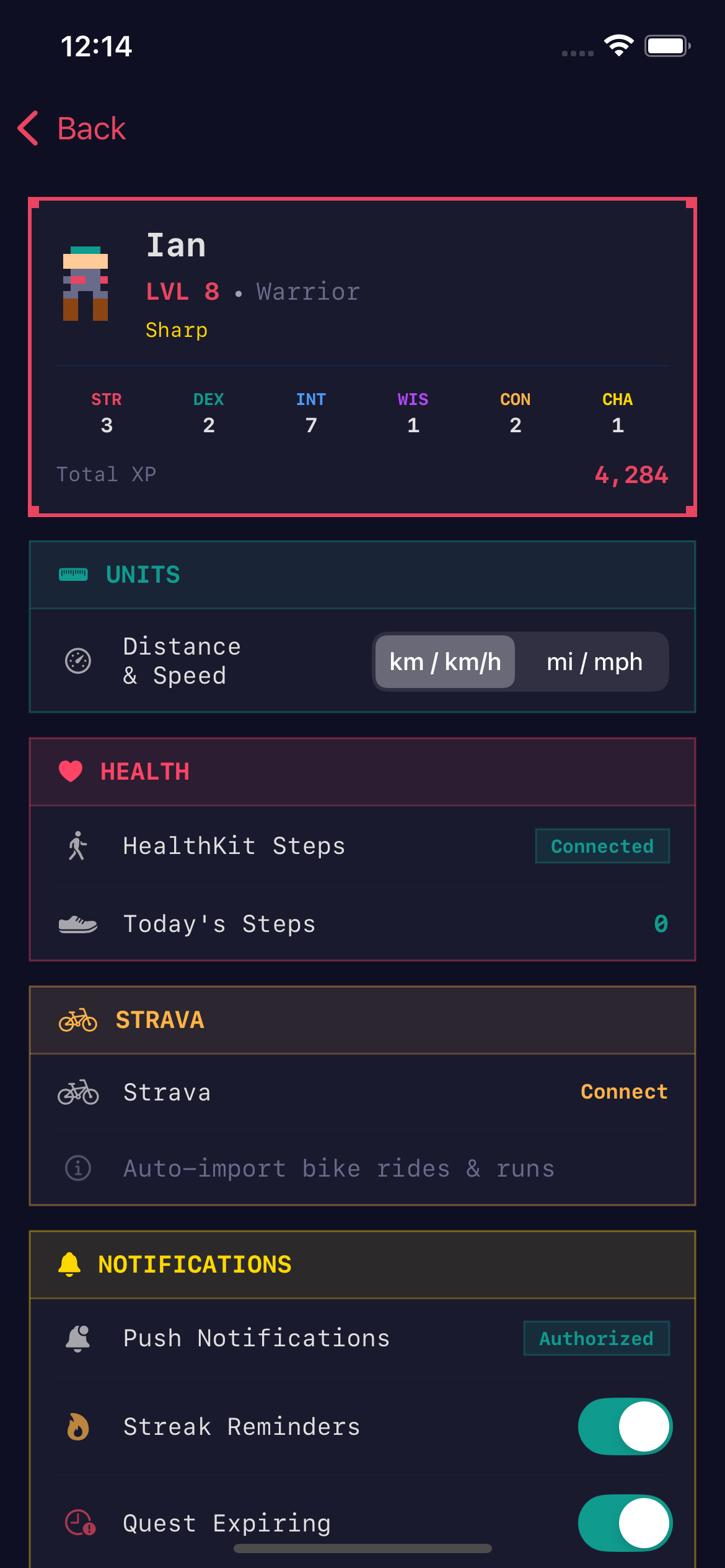
Connect Strava in Settings
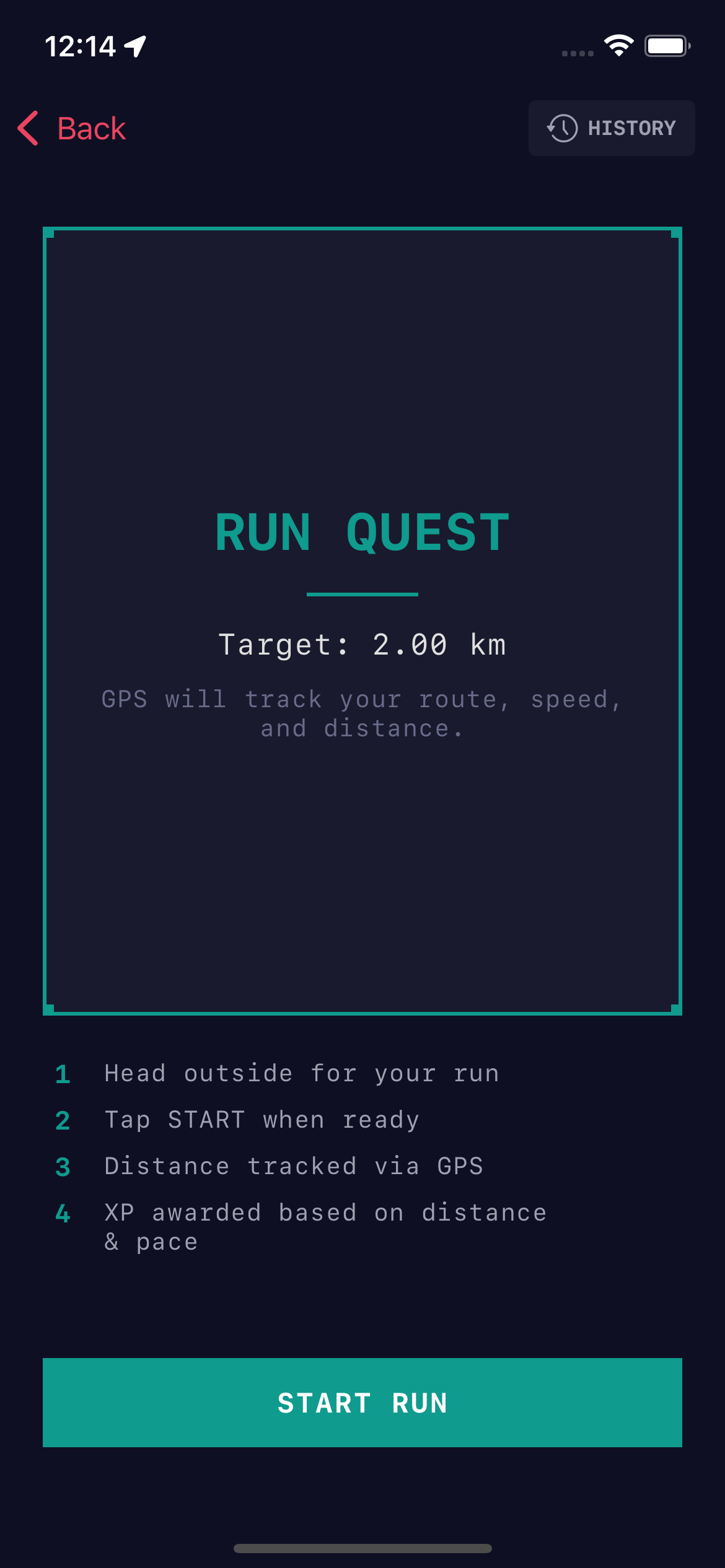
GPS Run Quest
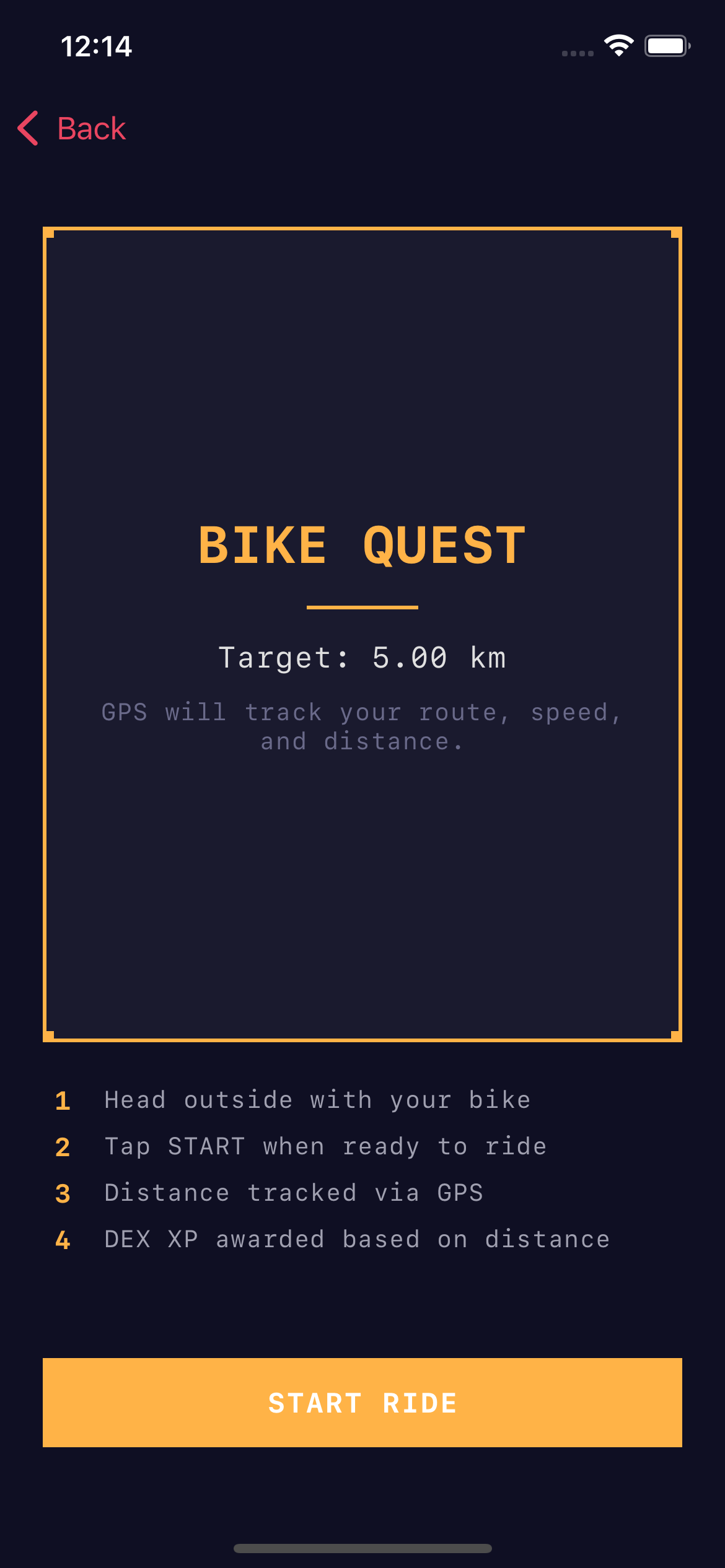
GPS Bike Quest
Supported Activities
Other Strava activity types are not imported at this time. Only distance-based activities earn XP.
Data & Privacy
- XPG requests activity:read_all scope — we only read your activity list
- We access: activity type, distance, duration, elevation, and start date
- We do not access GPS routes, heart rate, power data, or personal profile details
- Your Strava data is never shared with third parties or other XPG users
- Activity data is used solely to calculate in-game XP rewards
Disconnect Strava
You can disconnect your Strava account at any time from the XPG Settings screen. This will:
- Revoke XPG's access to your Strava account
- Delete your stored Strava tokens from our servers
- Stop all future activity imports
XP already earned from imported activities will not be removed.
Troubleshooting
Activities not syncing?
- Make sure your Strava connection is active in XPG Settings
- Only activities recorded after connecting will be imported
- Sync happens when you open the app — pull to refresh on the dashboard
- Only running, cycling, walking, and hiking activities are supported
Connection failed?
- Try disconnecting and reconnecting from XPG Settings
- Make sure you granted XPG permission on the Strava authorization screen
- Check that your Strava account is active
Still need help?
Contact us at support@getxpg.com and include your XPG username.
Powered by Strava